[et_pb_section bb_built=”1″ fullwidth=”on” specialty=”off” transparent_background=”off” allow_player_pause=”off” inner_shadow=”off” parallax=”off” parallax_method=”off” make_fullwidth=”off” use_custom_width=”off” width_unit=”on” make_equal=”off” use_custom_gutter=”off”][et_pb_fullwidth_post_title title=”on” meta=”off” author=”on” date=”on” categories=”on” comments=”on” featured_image=”off” featured_placement=”below” parallax_effect=”on” parallax_method=”off” text_orientation=”center” text_color=”dark” text_background=”off” text_bg_color=”rgba(255,255,255,0.9)” use_border_color=”off” border_color=”#ffffff” border_style=”solid” custom_margin=”||15px|” parallax=”on” _builder_version=”3.0.98″ /][/et_pb_section][et_pb_section bb_built=”1″ fullwidth=”off” specialty=”off” parallax_method=”off” disabled=”on” disabled_on=”on|on|on” background_color=”#ffffff” _builder_version=”3.0.98″][et_pb_row background_color=”#f2f2f2″ parallax_method=”off” parallax_method_1=”off” custom_padding=”0px|0px|0px|0px” padding_top_1=”0px” padding_right_1=”0px” padding_bottom_1=”0px” padding_left_1=”0px” _builder_version=”3.0.98″ module_class=”nextwebinars”][et_pb_column type=”4_4″][et_pb_text admin_label=”Hero banner: Webinar title” background_layout=”dark” text_orientation=”left” use_border_color=”off” border_color=”#ffffff” border_style=”solid” custom_padding=”0px|0px|0px|0px” module_id=”webninar-hero-title” _builder_version=”3.0.98″]
Our next live webinar: 3 Emerging Technologies that will change the way you use Hyper-V
[/et_pb_text][/et_pb_column][/et_pb_row][et_pb_row admin_label=”Hosted by Text” make_fullwidth=”off” use_custom_width=”off” width_unit=”on” use_custom_gutter=”off” background_color=”#f2f2f2″ allow_player_pause=”off” parallax=”off” parallax_method=”off” make_equal=”off” parallax_1=”off” parallax_method_1=”off” custom_padding=”0px|0px|0px|0px” parallax_2=”off” parallax_method_2=”off” parallax_3=”off” parallax_method_3=”off” module_id=”hyper-hosted-desktop”][et_pb_column type=”1_4″][/et_pb_column][et_pb_column type=”1_4″][/et_pb_column][et_pb_column type=”1_2″][et_pb_text admin_label=”Presented by” background_layout=”light” text_orientation=”center” use_border_color=”off” border_color=”#ffffff” border_style=”solid” custom_padding=”20px|20px|20px|20px” text_text_color=”#323232″ text_font_size=”22″]
Presented by
[/et_pb_text][/et_pb_column][/et_pb_row][et_pb_row make_fullwidth=”off” use_custom_width=”off” width_unit=”on” use_custom_gutter=”off” background_color=”#f2f2f2″ allow_player_pause=”off” parallax=”off” parallax_method=”off” make_equal=”off” parallax_1=”off” parallax_method_1=”off” parallax_2=”off” parallax_method_2=”off” parallax_3=”off” parallax_method_3=”off” module_id=”hyper-v-webinar-hero-content”][et_pb_column type=”1_2″][et_pb_text admin_label=”Webinar date/time” background_layout=”dark” text_orientation=”left” use_border_color=”off” border_color=”#ffffff” border_style=”solid”]

Tuesday, October 24th 2017
Time for US attendees: 10am PDT / 1pm EDT
Time for EU attendees: 2pm CEST
[/et_pb_text][et_pb_text admin_label=”CTA button – when webinar LP is not yet live” background_layout=”dark” text_orientation=”center” use_border_color=”off” border_color=”#ffffff” border_style=”solid” custom_margin=”50px|||” module_id=”hyper-webinar-hero-button” disabled=”on” disabled_on=”on|on|on”]
Get notified when registration opens
[/et_pb_text][et_pb_text admin_label=”CTA button – when webinar LP IS live” background_layout=”dark” text_orientation=”center” use_border_color=”off” border_color=”#ffffff” border_style=”solid” custom_margin=”50px|||” module_id=”hyper-webinar-hero-button” disabled=”off” disabled_on=”off|off|off”]
[/et_pb_text][/et_pb_column][et_pb_column type=”1_4″][et_pb_text admin_label=”Hero banner: Webinar title for Mobile” background_layout=”light” text_orientation=”center” use_border_color=”off” border_color=”#ffffff” border_style=”solid” custom_padding=”20px|20px|20px|20px” text_text_color=”#323232″ text_font_size=”22″ module_id=”hyper-hosted-mobile”]
Hosted By
[/et_pb_text][et_pb_image admin_label=”Speaker image 1″ src=”https://virtualizationdojo.com/hyper-v/wp-content/uploads/2017/09/thomas.png” show_in_lightbox=”off” url_new_window=”off” use_overlay=”off” animation=”off” sticky=”on” align=”center” max_width=”120px” force_fullwidth=”off” always_center_on_mobile=”on” use_border_color=”off” border_color=”#ffffff” border_style=”solid” module_class=”circular” /][et_pb_text admin_label=”Speaker 1″ background_layout=”light” text_orientation=”center” use_border_color=”off” border_color=”#ffffff” border_style=”solid”]
Thomas Maurer
Cloud & Datacenter Management MVP
[/et_pb_text][/et_pb_column][et_pb_column type=”1_4″][et_pb_divider color=”#ffffff” show_divider=”on” divider_style=”solid” divider_position=”top” hide_on_mobile=”off” module_id=”hyper-hosted-divider” height=”63″ /][et_pb_image admin_label=”Speaker image 2″ src=”https://virtualizationdojo.com/hyper-v/wp-content/uploads/2017/09/didier.png” show_in_lightbox=”off” url_new_window=”off” use_overlay=”off” animation=”off” sticky=”on” align=”center” max_width=”120px” force_fullwidth=”off” always_center_on_mobile=”on” use_border_color=”off” border_color=”#ffffff” border_style=”solid” module_class=”circular” /][et_pb_text admin_label=”Speaker 2″ background_layout=”light” text_orientation=”center” use_border_color=”off” border_color=”#ffffff” border_style=”solid”]
Didier van Hoye
Cloud & Datacenter Management MVP
[/et_pb_text][/et_pb_column][/et_pb_row][/et_pb_section][et_pb_section bb_built=”1″ transparent_background=”off” allow_player_pause=”off” inner_shadow=”off” parallax=”off” parallax_method=”on” make_fullwidth=”off” use_custom_width=”off” width_unit=”off” custom_width_px=”1080px” custom_width_percent=”80%” make_equal=”off” use_custom_gutter=”off” fullwidth=”off” specialty=”off” disabled=”off”][et_pb_row make_fullwidth=”off” use_custom_width=”off” width_unit=”off” use_custom_gutter=”off” allow_player_pause=”off” parallax=”off” parallax_method=”on” make_equal=”off” background_color_1=”#f0f0f0″ background_color_2=”#f0f0f0″ padding_top_1=”25px” padding_right_1=”25px” padding_bottom_1=”25px” padding_left_1=”25px” padding_top_2=”10px” padding_right_2=”10px” padding_bottom_2=”10px” padding_left_2=”10px” parallax_1=”off” parallax_method_1=”on” parallax_2=”off” parallax_method_2=”on” parallax_3=”off” parallax_method_3=”on” parallax_4=”off” parallax_method_4=”on” padding_1_last_edited=”off|” disabled=”off” background_position=”top_left” background_repeat=”repeat” background_size=”initial”][et_pb_column type=”1_2″][et_pb_image admin_label=”Video player preview image” src=”https://virtualizationdojo.com/hyper-v/wp-content/uploads/2018/11/ws2019demoicon.jpg” alt=”Hyper-V webinar preview” show_in_lightbox=”off” url=”https://virtualizationdojo.com/vm-backup/webinars/windows-server-2019-demo.php?LP=Altblog-webinar-windows-server-2019-demo&ALP=webinar-windows-server-2019-demo-Altblog” url_new_window=”on” use_overlay=”off” align=”center” force_fullwidth=”off” always_center_on_mobile=”on” use_border_color=”off” show_bottom_space=”on” _builder_version=”3.0.98″ /][et_pb_text admin_label=”Latest webinar title” background_layout=”light” use_border_color=”off” disabled=”off” background_position=”top_left” background_repeat=”repeat” background_size=”initial” _builder_version=”3.0.98″]
Windows Server 2019 in Action: Live Demo Webinar
[/et_pb_text][et_pb_text admin_label=”Latest webinar desc” background_layout=”light” text_text_color=”#212121″ use_border_color=”off” disabled=”off” background_position=”top_left” background_repeat=”repeat” background_size=”initial” _builder_version=”3.0.98″]
Test drive Windows Server 2019 with Microsoft MVP Andy Syrewicze with a deep-dive into Windows Admin Center, Containers on Windows Server, Storage Migration Service, & Windows Subsystem for Linux.
[/et_pb_text][et_pb_text admin_label=”CTA button” background_layout=”light” text_orientation=”center” use_border_color=”off” disabled=”off” custom_margin=”||30px|” module_class=”webinar-hyper-video” background_position=”top_left” background_repeat=”repeat” background_size=”initial” module_alignment=”center” _builder_version=”3.0.98″]
[/et_pb_text][et_pb_toggle admin_label=”Toggle – 3 Technologies” title=”3 Emerging Technologies that will change the way you use Hyper-V” open=”off” open_toggle_background_color=”#f0f0f0″ open_toggle_text_color=”#2e2e2e” closed_toggle_background_color=”#f0f0f0″ closed_toggle_text_color=”#2e2e2e” use_border_color=”off” custom_css_toggle_title=”background-image: url(https://virtualizationdojo.com/hyper-v/wp-content/themes/divi-child/hyper-image/calender-icon.png);|| background-repeat: no-repeat;|| background-position-x: 40px;|| height: 32px;” disabled=”off” background_position=”top_left” background_repeat=”repeat” background_size=”initial” _builder_version=”3.0.98″]

Three Microsoft MVPs discuss 3 emerging technologies that will profoundly disrupt the Hyper-V landscape
[/et_pb_toggle][et_pb_toggle admin_label=”Toggle – Nano Server” title=”Nano Servers in Windows Server 2016″ open=”off” open_toggle_background_color=”#f0f0f0″ open_toggle_text_color=”#2e2e2e” closed_toggle_background_color=”#f0f0f0″ closed_toggle_text_color=”#2e2e2e” use_border_color=”off” custom_css_toggle_title=”background-image: url(https://virtualizationdojo.com/hyper-v/wp-content/themes/divi-child/hyper-image/calender-icon.png);|| background-repeat: no-repeat;|| background-position-x: 40px;|| height: 32px;” disabled=”off” background_position=”top_left” background_repeat=”repeat” background_size=”initial” _builder_version=”3.0.98″]

Andrew Mason, Principal PM Manager of Microsoft’s Nano Server Team and Altaro’s Andy Syrewicze explore how using Nano Server can improve your environment.
[/et_pb_toggle][et_pb_toggle admin_label=”Toggle – How to migrate to VMware” title=”How to Migrate to VMware for Hyper-V administrators” open=”off” open_toggle_background_color=”#f0f0f0″ open_toggle_text_color=”#2e2e2e” closed_toggle_background_color=”#f0f0f0″ closed_toggle_text_color=”#2e2e2e” use_border_color=”off” custom_css_toggle_title=”background-image: url(https://virtualizationdojo.com/hyper-v/wp-content/themes/divi-child/hyper-image/calender-icon.png);|| background-repeat: no-repeat;|| background-position-x: 40px;|| height: 32px;” disabled=”off” background_position=”top_left” background_repeat=”repeat” background_size=”initial” _builder_version=”3.0.98″]
Looking to migrate VMs from Hyper-V to VMware? Andy Syrewicze teaches you the basics of VMware to help you get up to scratch quickly.
[/et_pb_toggle][/et_pb_column][et_pb_column type=”1_2″][et_pb_toggle admin_label=”New in WS2019″ title=”What’s New in Windows Server 2019″ open=”on” open_toggle_background_color=”#f0f0f0″ open_toggle_text_color=”#2e2e2e” closed_toggle_background_color=”#f0f0f0″ closed_toggle_text_color=”#2e2e2e” use_border_color=”off” custom_css_toggle_title=”background-image: url(https://virtualizationdojo.com/hyper-v/wp-content/themes/divi-child/hyper-image/calender-icon.png);|| background-repeat: no-repeat;|| background-position-x: 40px;|| height: 32px;” disabled=”off” background_position=”top_left” background_repeat=”repeat” background_size=”initial” _builder_version=”3.0.98″]
Discover what’s new in Windows Server 2019 from Microsoft MVPs Andy Syrewicze and Rob Corradini, alongside former Microsoft Senior Technical Evangelist Symon Perriman
[/et_pb_toggle][et_pb_toggle admin_label=”Toggle – Azure Stack” title=”Future-Proofing your Datacenter with Microsoft Azure Stack” open=”on” open_toggle_background_color=”#f0f0f0″ open_toggle_text_color=”#2e2e2e” closed_toggle_background_color=”#f0f0f0″ closed_toggle_text_color=”#2e2e2e” use_border_color=”off” custom_css_toggle_title=”background-image: url(https://virtualizationdojo.com/hyper-v/wp-content/themes/divi-child/hyper-image/calender-icon.png);|| background-repeat: no-repeat;|| background-position-x: 40px;|| height: 32px;” disabled=”off” background_position=”top_left” background_repeat=”repeat” background_size=”initial” _builder_version=”3.0.98″]
Learn the tools you need for Microsoft Azure Stack to help your transition into the age of the private hosted cloud.
[/et_pb_toggle][et_pb_toggle admin_label=”Toggle – 4 IaaS features” title=”4 Important Azure IaaS features for building your Hybrid Cloud” open=”off” open_toggle_background_color=”#f0f0f0″ open_toggle_text_color=”#2e2e2e” closed_toggle_background_color=”#f0f0f0″ closed_toggle_text_color=”#2e2e2e” use_border_color=”off” custom_css_toggle_title=”background-image: url(https://virtualizationdojo.com/hyper-v/wp-content/themes/divi-child/hyper-image/calender-icon.png);|| background-repeat: no-repeat;|| background-position-x: 40px;|| height: 32px;” disabled=”off” background_position=”top_left” background_repeat=”repeat” background_size=”initial” _builder_version=”3.0.98″]
Cloud & Datacenter Management MVPs Aidan Finn and Andy Syrewicze show you how you can build a Hybrid Cloud using key functionality in Azure IaaS.
[/et_pb_toggle][et_pb_toggle admin_label=”Toggle – High-Impact WS2016″ title=”6 High-Impact WS2016 Features for SMBs” open=”off” open_toggle_background_color=”#f0f0f0″ open_toggle_text_color=”#2e2e2e” closed_toggle_background_color=”#f0f0f0″ closed_toggle_text_color=”#2e2e2e” use_border_color=”off” custom_css_toggle_title=”background-image: url(https://virtualizationdojo.com/hyper-v/wp-content/themes/divi-child/hyper-image/calender-icon.png);|| background-repeat: no-repeat;|| background-position-x: 40px;|| height: 32px;” disabled=”off” background_position=”top_left” background_repeat=”repeat” background_size=”initial” _builder_version=”3.0.98″]
S2016 features which matter most for a typical SMB setup with a focus on those that provide significant differences, such as Nested Virtualization, Start-Order Priorities, PowerShell Direct, Node Fairness, and more
[/et_pb_toggle][et_pb_toggle admin_label=”Toggle – WS2016 licensing” title=”Licensing Windows Server 2016 in a Virtual Environment” open=”off” open_toggle_background_color=”#f0f0f0″ open_toggle_text_color=”#2e2e2e” closed_toggle_background_color=”#f0f0f0″ closed_toggle_text_color=”#2e2e2e” use_border_color=”off” custom_css_toggle_title=”background-image: url(https://virtualizationdojo.com/hyper-v/wp-content/themes/divi-child/hyper-image/calender-icon.png);|| background-repeat: no-repeat;|| background-position-x: 40px;|| height: 32px;” disabled=”off” background_position=”top_left” background_repeat=”repeat” background_size=”initial” _builder_version=”3.0.98″]
Learn exactly how VM licensing works in Windows Server 2016, including nested hypervisors and containers.
[/et_pb_toggle][/et_pb_column][/et_pb_row][/et_pb_section][et_pb_section bb_built=”1″ transparent_background=”off” allow_player_pause=”off” inner_shadow=”off” parallax=”off” parallax_method=”on” make_fullwidth=”off” use_custom_width=”off” width_unit=”off” custom_width_px=”1080px” custom_width_percent=”80%” make_equal=”off” use_custom_gutter=”off” fullwidth=”off” specialty=”off” disabled=”off”][et_pb_row make_fullwidth=”off” use_custom_width=”off” width_unit=”off” custom_width_px=”1080px” custom_width_percent=”80%” use_custom_gutter=”off” gutter_width=”2″ allow_player_pause=”off” parallax=”off” parallax_method=”on” make_equal=”on” background_color_2=”#f0f0f0″ parallax_1=”off” parallax_method_1=”on” parallax_2=”off” parallax_method_2=”on” parallax_3=”off” parallax_method_3=”on” parallax_4=”off” parallax_method_4=”on” module_id_2=”webinars-right” disabled=”off” background_position=”top_left” background_repeat=”repeat” background_size=”initial”][et_pb_column type=”2_3″][et_pb_text admin_label=”Newsletter sub form” _builder_version=”3.0.98″ background_layout=”light” custom_margin=”20px||20px|” module_id=”postcard-ebook”] [thrive_leads id=’11898′] [/et_pb_text][/et_pb_column][et_pb_column type=”1_3″][et_pb_text admin_label=”Hyper-V eBooks” background_layout=”light” text_orientation=”center” header_font_size=”32px” text_font=”|on|||” text_font_size=”20px” text_text_color=”#4b4484″ use_border_color=”off” border_style=”solid” disabled=”off” border_color=”#ffffff” background_position=”top_left” background_repeat=”repeat” background_size=”initial” module_alignment=”center”]
Interested in Hyper-V and WinServ eBooks?
[/et_pb_text][et_pb_text admin_label=”eBooks text” background_layout=”light” text_orientation=”center” text_font=”|on|||” text_font_size=”16px” text_text_color=”#444b52″ text_line_height=”1em” use_border_color=”off” border_style=”solid” disabled=”off” border_color=”#ffffff” background_position=”top_left” background_repeat=”repeat” background_size=”initial” module_alignment=”center”]
Have a look at our collection here:
[/et_pb_text][et_pb_text admin_label=”eBooks CTA” background_layout=”dark” text_orientation=”center” use_border_color=”off” border_style=”solid” disabled=”off” border_color=”#ffffff” custom_margin=”14px|||” text_line_height=”1em” background_position=”top_left” background_repeat=”repeat” background_size=”initial” module_alignment=”center”]
[/et_pb_text][/et_pb_column][/et_pb_row][/et_pb_section][et_pb_section bb_built=”1″ transparent_background=”off” allow_player_pause=”off” inner_shadow=”off” parallax=”off” parallax_method=”off” make_fullwidth=”off” use_custom_width=”off” width_unit=”on” custom_width_px=”1080px” custom_width_percent=”80%” make_equal=”off” use_custom_gutter=”off” fullwidth=”off” specialty=”off” disabled=”off”][et_pb_row make_fullwidth=”off” use_custom_width=”off” width_unit=”on” custom_width_px=”1080px” custom_width_percent=”80%” use_custom_gutter=”off” gutter_width=”2″ custom_padding=”|20px||20px” background_color=”#f0f0f0″ allow_player_pause=”off” parallax=”off” parallax_method=”off” make_equal=”off” parallax_1=”off” parallax_method_1=”off” parallax_2=”off” parallax_method_2=”on” parallax_3=”off” parallax_method_3=”on” parallax_4=”off” parallax_method_4=”on” disabled=”off” background_position=”top_left” background_repeat=”repeat” background_size=”initial”][et_pb_column type=”4_4″][et_pb_text admin_label=”H2: Backup Whitepapers” background_layout=”dark” text_orientation=”left” use_border_color=”off” border_style=”solid” disabled=”off” border_color=”#ffffff” background_position=”top_left” background_repeat=”repeat” background_size=”initial”]
Backup Whitepapers
[/et_pb_text][/et_pb_column][/et_pb_row][et_pb_row make_fullwidth=”off” use_custom_width=”off” width_unit=”on” custom_width_px=”1080px” custom_width_percent=”80%” use_custom_gutter=”off” gutter_width=”2″ custom_padding=”|20px||20px” background_color=”#f0f0f0″ allow_player_pause=”off” parallax=”off” parallax_method=”off” make_equal=”off” parallax_1=”off” parallax_method_1=”off” parallax_2=”off” parallax_method_2=”off” parallax_3=”off” parallax_method_3=”on” parallax_4=”off” parallax_method_4=”on” disabled=”off” background_position=”top_left” background_repeat=”repeat” background_size=”initial”][et_pb_column type=”1_2″][et_pb_text admin_label=”10 Essential Best Practices” background_layout=”dark” text_orientation=”left” use_border_color=”off” border_style=”solid” disabled=”off” border_color=”#ffffff” background_position=”top_left” background_repeat=”repeat” background_size=”initial”]
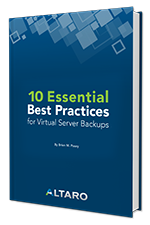
10 Essential Best Practices for Virtual Server Backups
by Brien M. Posey
Brien Posey outlines some of the fundamental best practices to consider when building your strategy for virtual server backups.
[/et_pb_text][/et_pb_column][et_pb_column type=”1_2″][et_pb_text admin_label=”10 Mistakes” background_layout=”dark” text_orientation=”left” use_border_color=”off” border_style=”solid” disabled=”off” border_color=”#ffffff” background_position=”top_left” background_repeat=”repeat” background_size=”initial”]
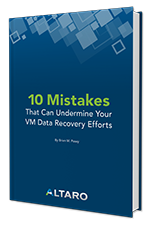
10 Mistakes That Can Undermine Your VM Data Recovery Efforts
by Brien M. Posey
Prevent the most common mistakes made when planning and executing your disaster recovery strategy with this handy whitepaper.
[/et_pb_text][/et_pb_column][/et_pb_row][/et_pb_section]